Before you begin
You must have a BTSE account
You must have completed identity verification
You must have enabled two-factor authentication (2FA) before you can create a key
If you plan to use IP whitelisting, please have your server's static IP address ready
Step 1: Open your API settings
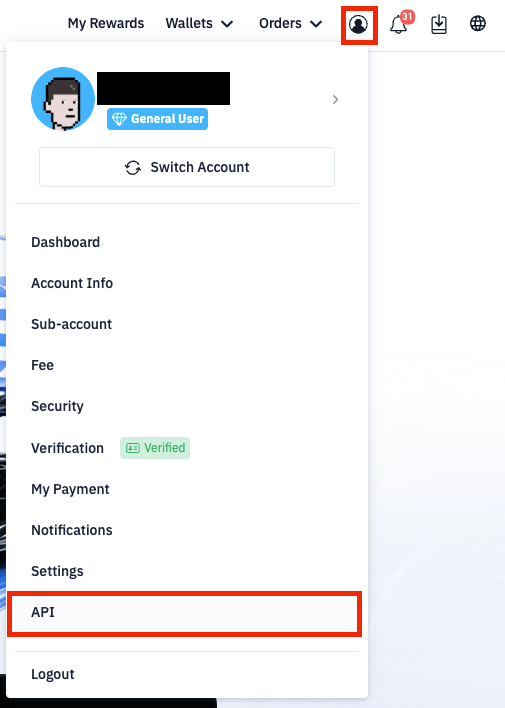
Click Account in the top-right corner of BTSE’s desktop interface at BTSE.com
Select the API link
Step 2: Create a new key
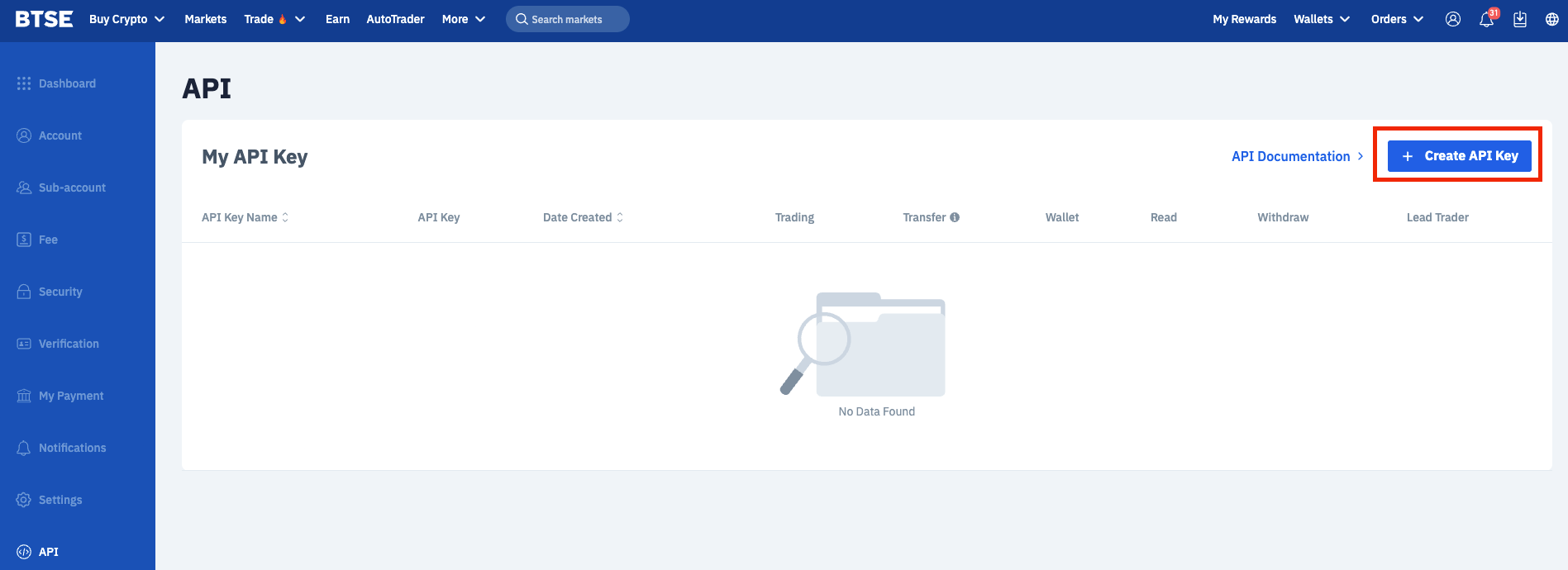
Click Create API Key
Step 3: Configure your key
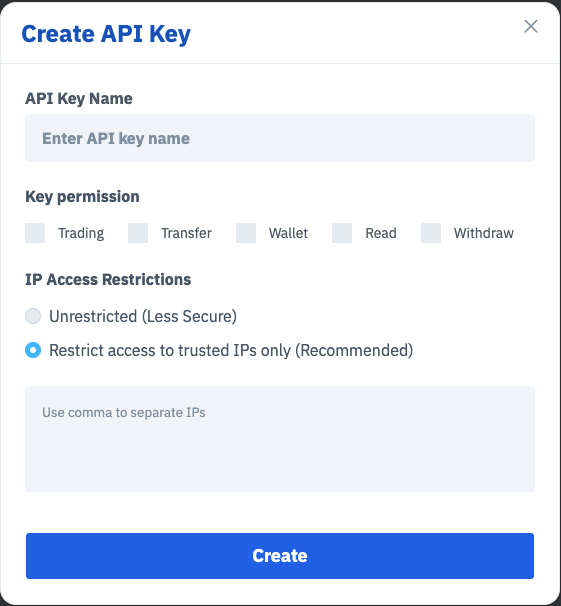
Enter a name that identifies what the key is for, such as grid-bot
Select the permissions your application needs — see key permissions below
Add your server's IP address to the IP whitelist (Optional)
Step 4: Complete two-factor authentication
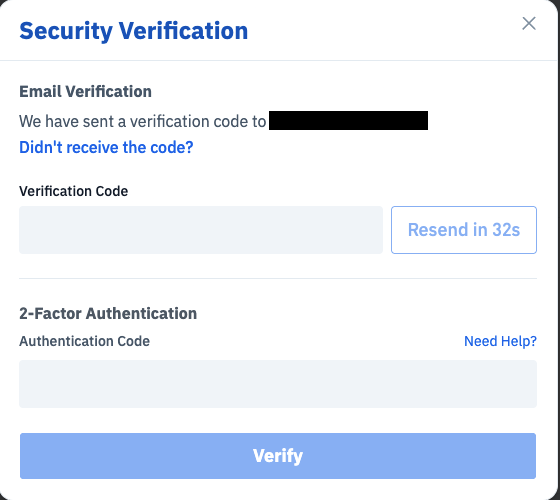
Enter the verification code from your authenticator app, email, or SMS
Click Verify to create the key
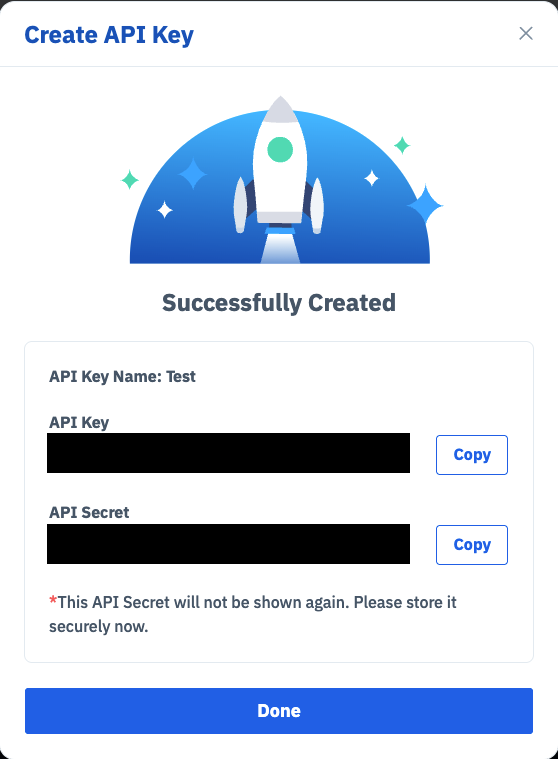
Step 5: Save your API Key and API Secret
Important: Your API Secret is shown only once. You cannot retrieve it after you close this window.
Copy both your API key and your API Secret
Store them in a password manager or a secrets management service
Do not save them in chat apps, shared documents, source code, or version control
Your API key remains visible on the API page. Your API Secret — does not. If you lose it, you must delete the key and create a new one.
API key permissions
Select only the permissions your application actually needs:
Read — account balances, order status, trade history, wallet history
Trading — place, amend, and cancel orders
Transfer — transfer funds between wallets
Wallet — subscribe to Earn products and create deposit addresses
Withdraw — withdraw your assets
Market data, order books, and public trades are available and can be read without an API key. If your application only reads market data, you do not need to create a key at all.
Keeping your API key secure
Grant the minimum permissions required — avoid granting the API Withdraw permission unless you need automated withdrawals
Bind each key to an IP whitelist
Use a separate key for each application, so you can disable one without affecting the others
Rotate your keys regularly, and immediately when someone with access leaves your team
Pass keys to your application through environment variables or a secrets manager, never hardcoded
Delete the key immediately if you suspect it has been exposed

