Deposit Address Management
Better security
A new address for each deposit helps protect your funds and reduces the risk of tracking by third parties.
Stay organized
Easily manage multiple deposit addresses across different tokens and networks.
Quick access
View and reuse your recent deposit addresses anytime.
How to use it
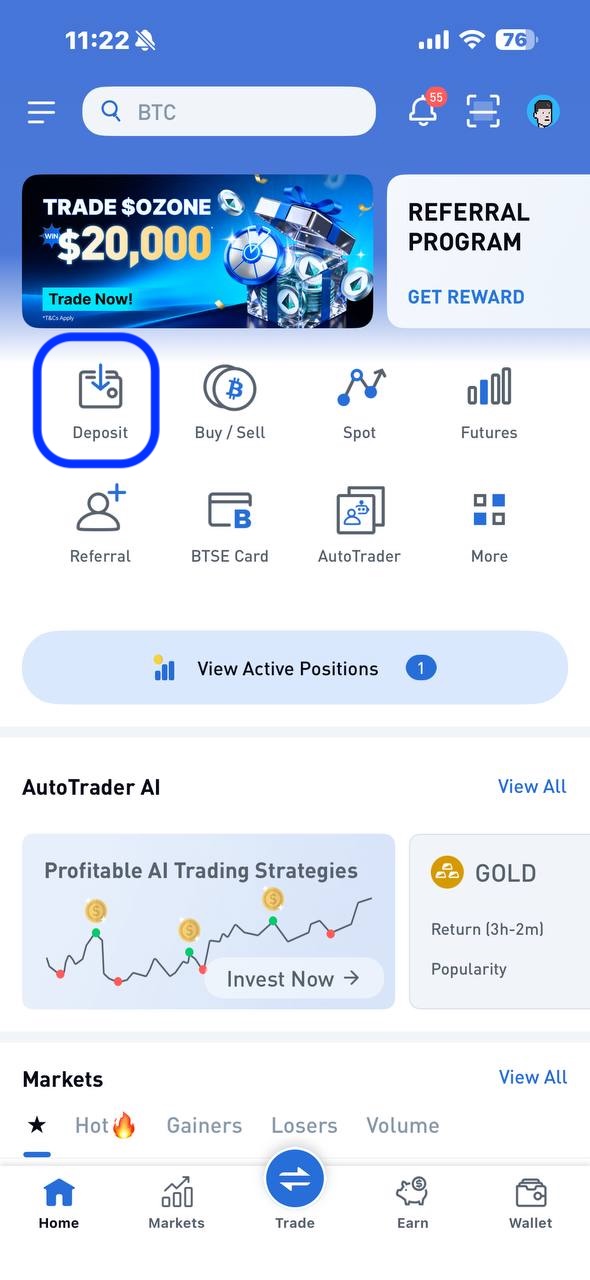
1. Open the BTSE App and go to Deposit
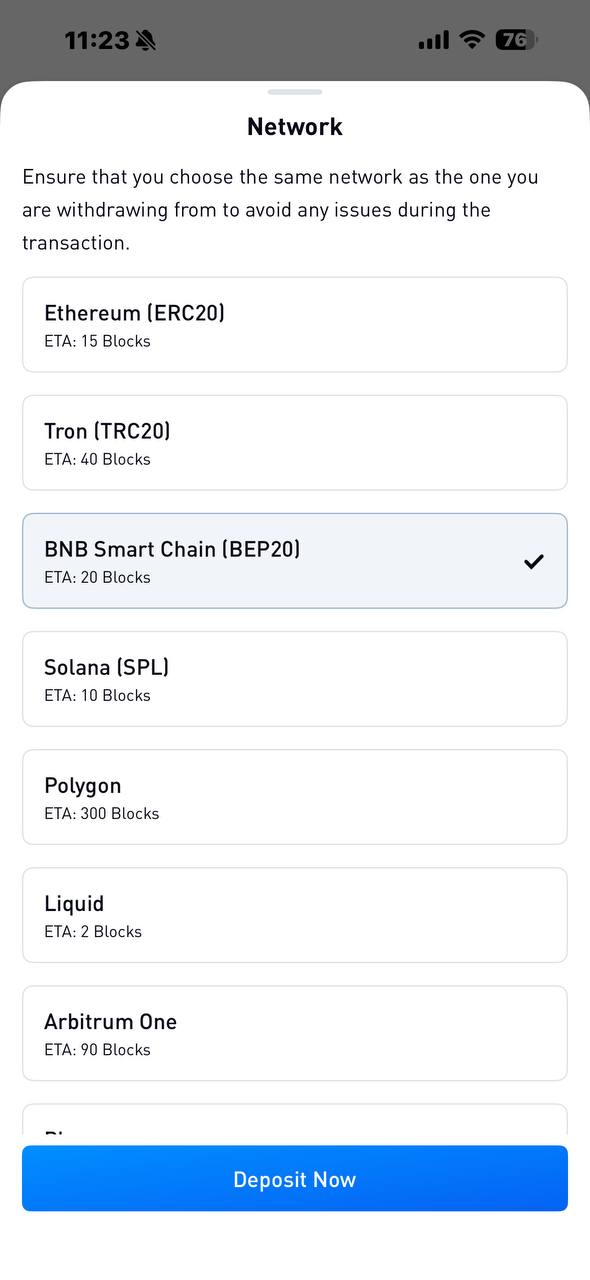
2. Select the token and network you want to deposit
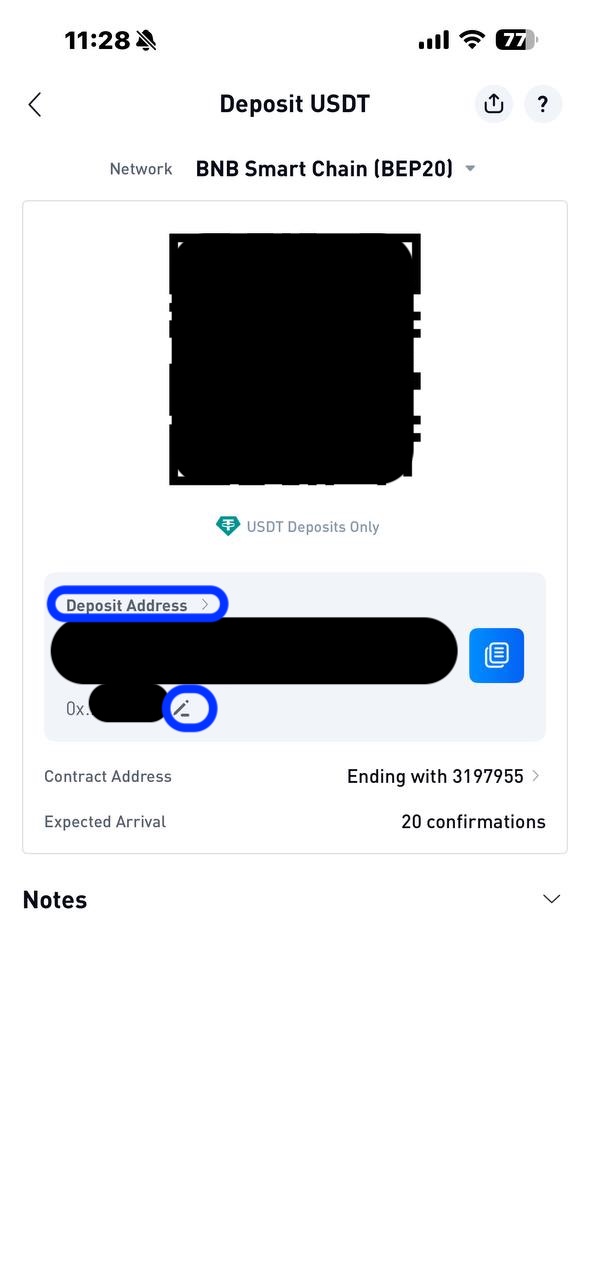
3. Select "Deposit Address" to manage your addresses, or the pencil symbol to rename your Deposit Address
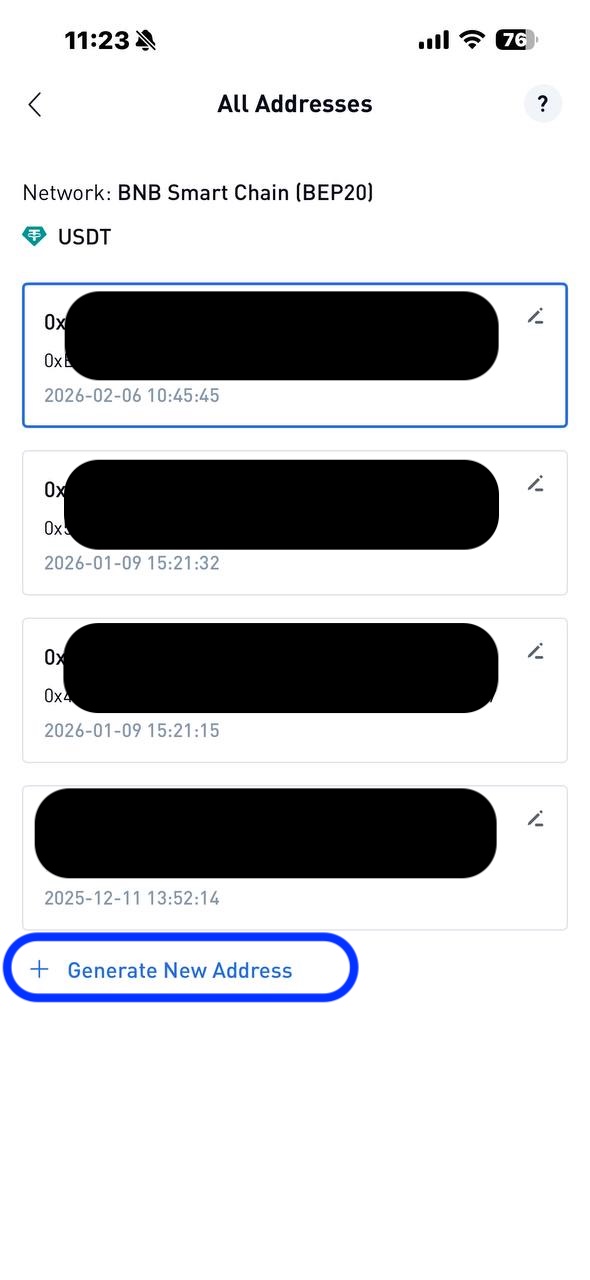
4. After selecting "Deposit Address", you can manage the existing deposit addresses created or generate a new address to create one instantly. You will see up to your latest 10 addresses. Tap any address to copy and use it
How many deposit addresses can I create?
You can create as many as you need. The app shows your latest 10 addresses per token & network for easy access.
Are my old addresses still valid?
No. Addresses are valid only if you can see them on this page. Please make sure you copy an address shown on this page every time you try to make a deposit, so that you don’t deposit funds to an expired address.
Can I delete or disable an address?
No. Once created, an address cannot be deleted.
If you don’t want to use it, simply generate a new one.
Are there any fees?
No. Creating new deposit addresses is completely free.
Important Reminder
⚠️ Always double-check:
You selected the correct token
You selected the correct network
Sending funds to the wrong network or address may result in permanent loss of funds.

