Deposit Address Management
Better security
A new address for each deposit helps protect your funds and reduces the risk of tracking by third parties.
Stay organized
Easily manage multiple deposit addresses across different tokens and networks.
Quick access
View and reuse your recent deposit addresses anytime.
How to use it
1. Log in to BTSE and go to Wallet > Deposit
2. Select the token and network you want to deposit
3. Under "Step 3. Deposit Details", click “New Address” to create a new deposit address — you can give it a name (optional), or leave it blank and a default name will be assigned
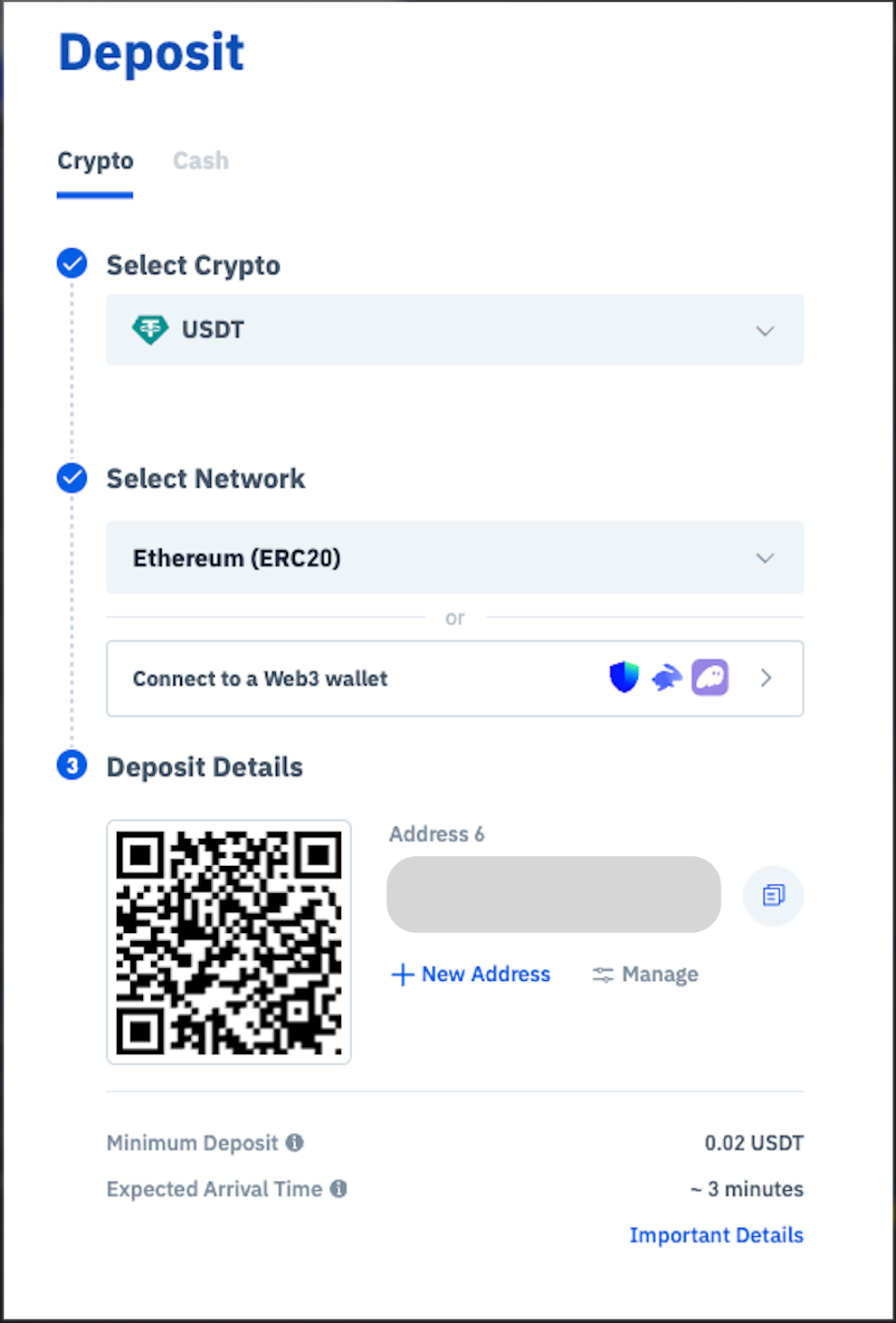
4. Click “Manage” to view your deposit addresses. You can rename an address by clicking the pencil icon, or delete one by clicking the trash icon. Click any address to select and use it
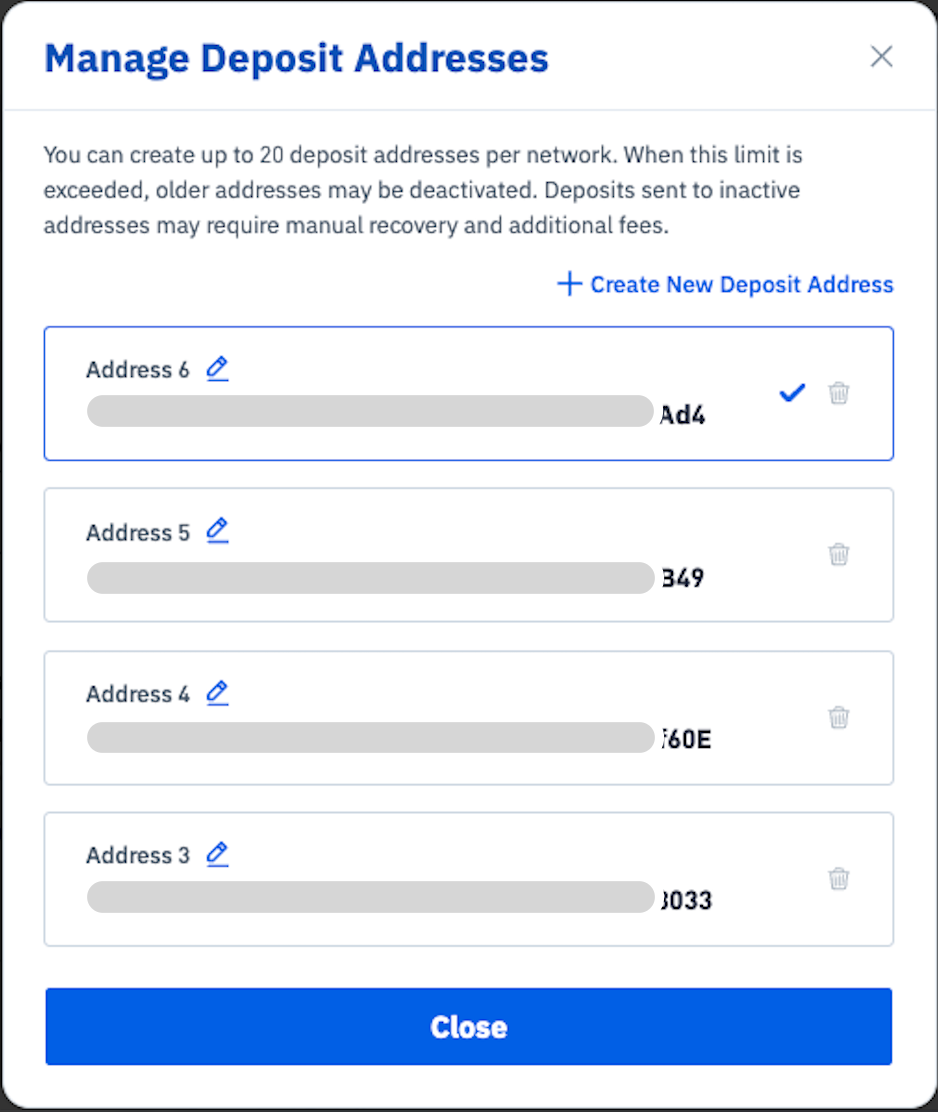
3. Select "Deposit Address" to manage your addresses, or the pencil symbol to rename your Deposit Address
How many deposit addresses can I create?
You can hold up to 20 deposit addresses per crypto & network. Some networks (e.g. ALGO) support only one deposit address.
Are my old addresses still valid?
No. Addresses are valid only if you can see them on this page. Please make sure you copy an address shown on this page every time you try to make a deposit, so that you don't deposit funds to an expired address.
Can I delete or disable an address?
Yes. Click the trash icon next to the address in Manage Deposit Addresses. Note that an address must have received a deposit, have no transactions in progress, and not be your only address — otherwise it can’t be deleted yet.
Are there any fees?
No. Creating new deposit addresses is completely free.
Important Reminder
⚠️ Always double-check:
You selected the correct token
You selected the correct network
Sending funds to the wrong network or address may result in permanent loss of funds.

