How to deposit using MetaMask?
You can deposit crypto into your account directly from MetaMask by following these steps:
Step 1: Go to the Deposit Page
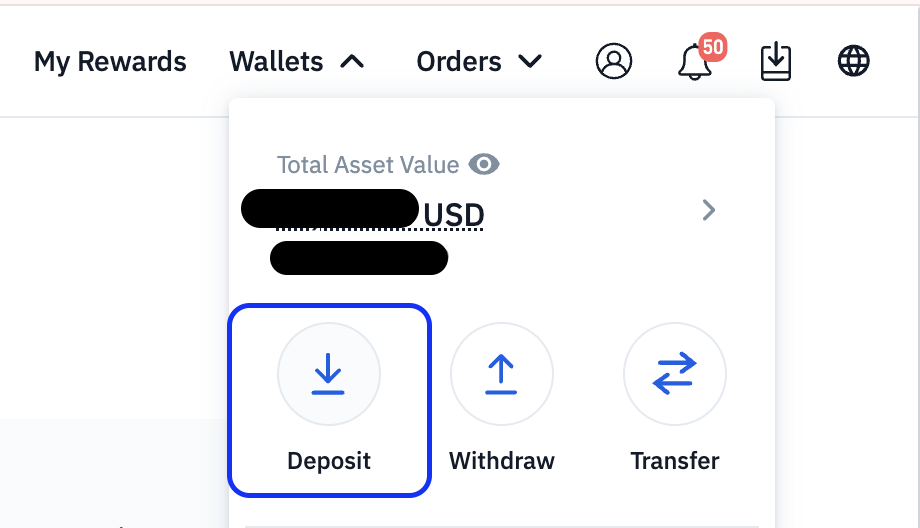
Select the cryptocurrency you want to deposit

Step 2: Select the Network
Choose the correct network (e.g. ERC-20, BEP-20)
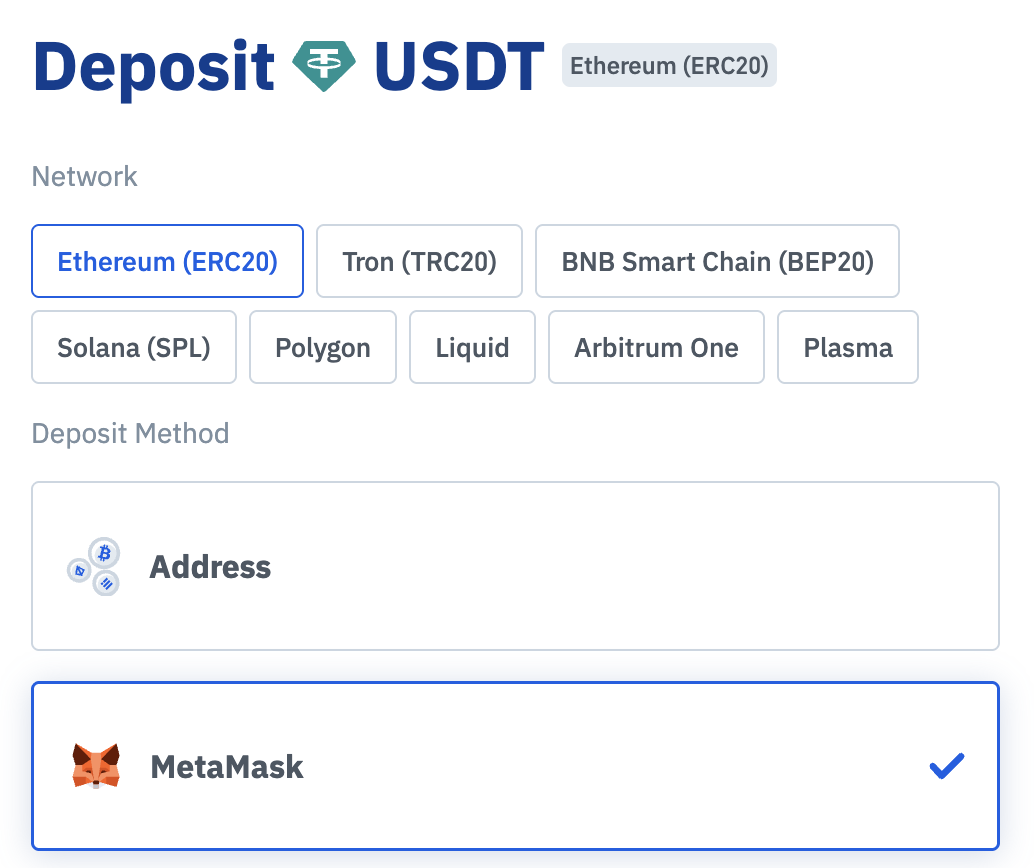
Make sure this matches the network selected in your MetaMask wallet. Depositing via the wrong network may result in loss of funds.
Step 3: Connect to your MetaMask Wallet
- Select Connect to link your MetaMask wallet to your Deposit account.
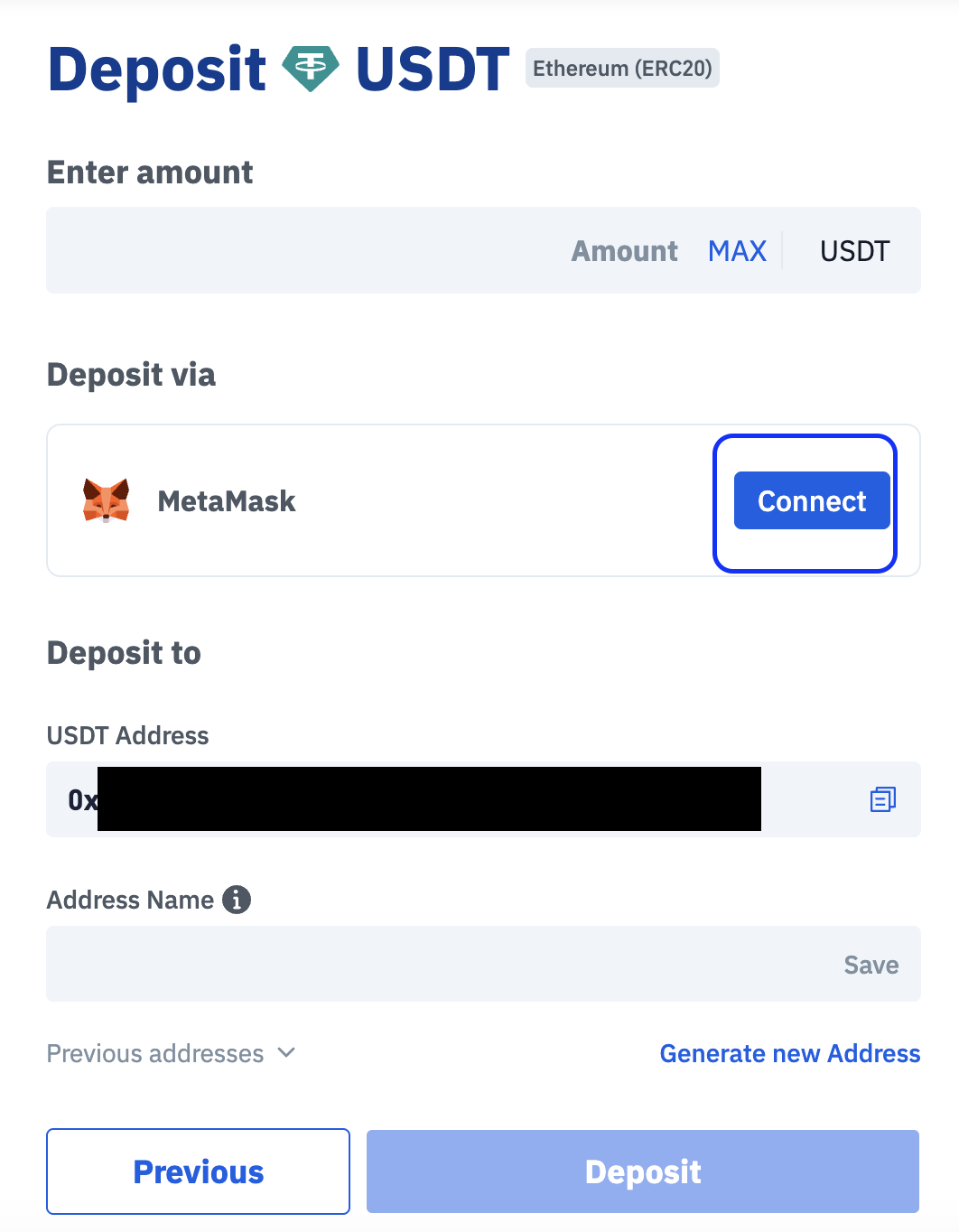
Step 4: Send Funds from MetaMask
- Once connected, enter the Amount to deposit and select Deposit.
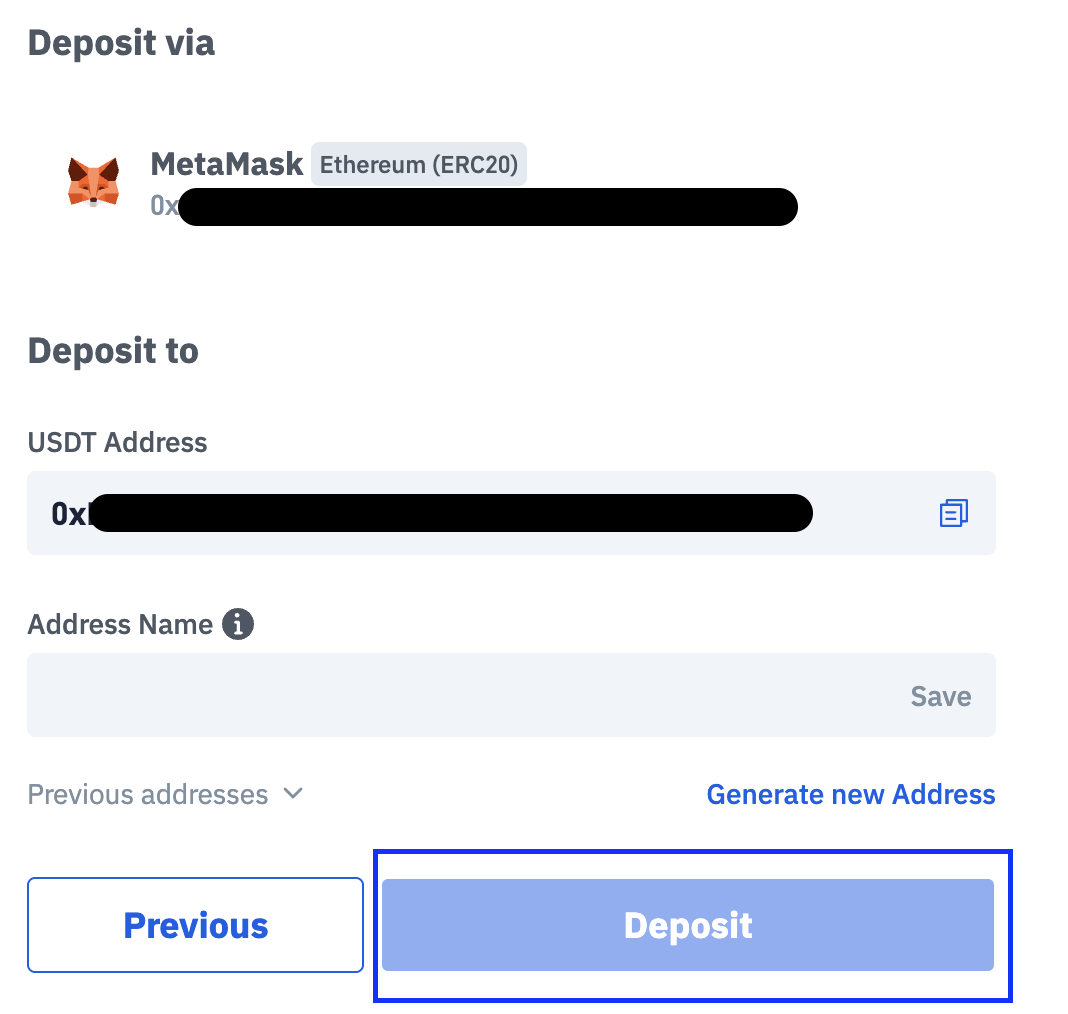
Step 5: Wait for Confirmation
Your deposit will be credited after the required network confirmations
Processing time depends on the network used
Important Notes
Always ensure the network matches between MetaMask and the deposit page
Only send supported tokens to the selected address
Do not send unsupported assets, as they may not be recoverable
Network fees are paid to the blockchain and are not controlled by the exchange

